How to preserve text messages before a dispute
Most people go looking for old messages at the worst possible moment: after something has gone wrong, when the messages matter, and when a chunk of them has already been deleted automatically without anybody being told. By then the options are narrow.
This page is for the other moment. A contractor has started a job. A tenancy has begun. A working relationship has gone quiet in a way you recognise. Nothing has happened yet, and the whole point is that the work you do now takes twenty minutes and the work you would otherwise do later may be impossible.
What this page is not
This is not legal advice. If a dispute is already underway, or you have been told to preserve records, take direction from whoever is handling your matter, because obligations in that situation can be specific and can carry consequences. What follows is the practical side: how to stop losing messages and how to make a copy that outlives your phone.
Step one: stop the automatic deletion
This is the single highest value thing on this page, and almost nobody has checked it. Apple devices delete old conversations on a schedule, and the setting that controls it is not on by accident, it simply has a default that many people never look at.
- On the iPhone, open Settings, then Apps, then Messages, and find Keep Messages under Message History.
- If it says 30 Days or 1 Year, older messages have already been deleted. Set it to Forever.
- On a Mac, open Messages, then Settings, then General, and set the same Keep Messages option to Forever.
- Check every device signed into the same account, because the setting is per device and one device set to 30 Days can keep pruning.
Changing this stops further deletion. It does not bring back anything already removed. That is why this is step one and not step four.
Forever only applies from the moment you switch it on. Everything the old setting already deleted is a separate problem, and usually a permanent one.
Step two: find out what you actually still have
People routinely assume they have years of history and discover they have months. Establish the real figure before you make any plans that depend on it.
- Open the conversation that matters and scroll to the very top. Note the oldest date you can reach. That is your real starting point.
- Do the same for any other thread you might need, since the answer can differ per conversation depending on when each one was last active.
- Check whether an old iPhone backup exists on a Mac or an external drive. A backup made before a deletion may hold messages the phone no longer has.
- If messages are missing that you expected, look for an older device in a drawer before doing anything else. An iPhone that has not been wiped is a complete copy of its own history.
Step three: get a second copy off the phone
A single copy on one device is one drop, one theft, one failed update, or one accidental deletion away from nothing. The goal is a copy that does not depend on the phone continuing to exist.
An unencrypted local backup is the strongest free option
Connect the iPhone to a Mac, open Finder, select the device, choose to back up to this Mac, and leave the encrypt option unchecked. The backup contains a database with the full message history and the recorded timestamps intact.
Encrypted backups hide the messages from tools
If Encrypt local backup is ticked, the backup index is unreadable without the password, and tools that cannot read it frequently report that there are no messages rather than that they cannot see them. Those are different sentences and only one is true. Note that an encrypted backup is more secure for storage, so the tradeoff is real. If you get an empty result later, check this setting first.
iCloud is sync, not a second copy
Messages in iCloud keeps devices in step, which means a deletion is also kept in step. Deleting a conversation on the phone removes it everywhere. It is a convenience feature, and treating it as an archive is the mistake that produces most of the panicked forum posts in this category.
Printing to PDF preserves a specific conversation
If messages sync to a Mac, open Messages, select the conversation, choose File then Print, and save as PDF. This produces something a person can read without your device. On multi year threads the app often stalls, because it has to scroll the entire history into memory first, and the usual workaround is printing in ranges and merging the pieces in Preview.
Step four: decide what a good record looks like
If you ever hand these messages to somebody, three things determine how well the record holds up, and they are worth separating because they are solved by different means.
- Completeness. The full conversation across a stated date range, including the dull messages. A selected excerpt looks selective even when it is not.
- Underlying data. Recorded dates, times and sender identifiers rather than displayed labels. A phone number identifies a sender better than a nickname you chose.
- Integrity. Something showing the file has not changed since you produced it, which does not rest on your own machine or your own clock.
Screenshots address none of the three well. They are fine for a short exchange and they are the weakest option for anything contested, because a screenshot records what your screen displayed rather than the message record underneath it.
Preserve early, because the timing is the argument
There is a practical reason to do this before there is a dispute rather than after. A record produced early was produced when you had no particular outcome to serve. A record assembled the week after things went wrong was assembled by somebody with a reason to assemble it.
That does not make a late record worthless, and it is not a claim about how any decision maker will weigh it. It is just a reason not to wait, given that the work is twenty minutes.
Where Message Archive fits
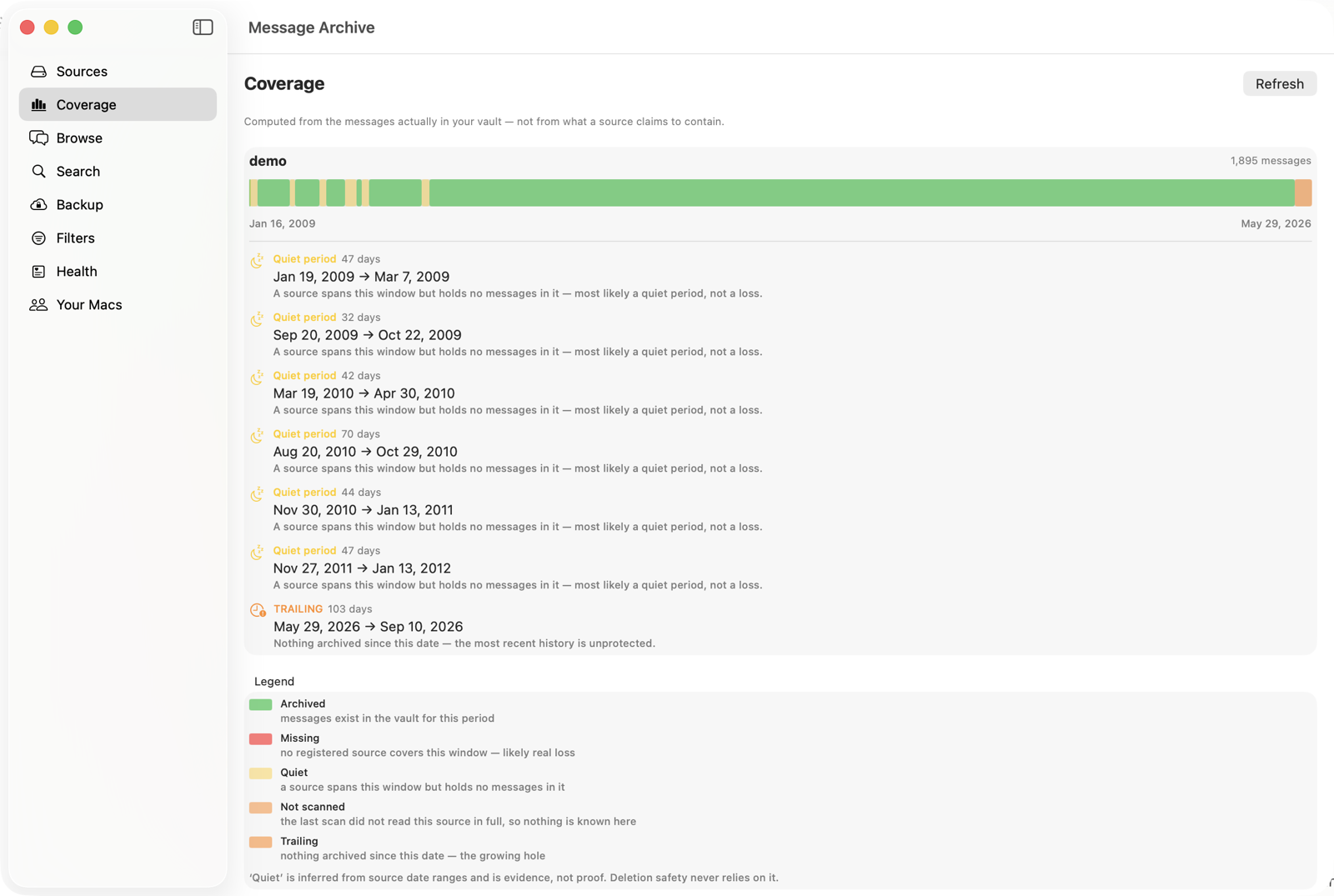
Message Archive is a Mac app that reads message history, from the Mac and from iPhone backups, into a searchable archive on your own machine. It is built for the ongoing case rather than the one time rescue: the archive keeps accumulating, so history stays even as the phone prunes itself.
When a conversation is needed, the export writes it as PDF, CSV or JSON and writes a seal file beside it. The seal records the export’s SHA-256 fingerprint and sends that fingerprint to an independent timestamp authority, which returns a signed RFC 3161 token. Anyone can check the result at the verify page without buying anything, without an account, and without you being involved. The file is never uploaded.
Being precise about what that establishes: it shows the file has not changed since it was sealed and that it existed in that form at the sealed time. It does not show the messages were complete or truthful, which nothing technical can show, and it does not decide anything. Whether a record is accepted is a decision for the people handling your matter.
What it cannot do
Message Archive cannot recover messages that are already gone from every source on your Mac and from every backup you still hold. If a thread was deleted years ago and nothing kept a copy, no tool can bring it back. That is precisely why the Keep Messages setting is step one on this page and the software is step four.
The short version
- Set Keep Messages to Forever on every device today. It stops further loss and reverses none.
- Scroll to the top of the threads that matter and find out how much history really survives.
- Make an unencrypted local backup to a Mac so a complete copy exists off the phone.
- iCloud is sync, not a backup. A deletion propagates everywhere.
- For anything contested, produce the full conversation rather than an excerpt, with recorded dates and sender numbers.
- Integrity is the piece nothing free solves: a fingerprint plus an independent timestamp.
- Do it before there is a dispute. The work is twenty minutes now and may be impossible later.
Common questions
How do I stop my iPhone deleting old text messages?
Open Settings, then Apps, then Messages, and set Keep Messages to Forever under Message History. If it currently reads 30 Days or 1 Year, older conversations have already been deleted automatically. Check the same setting in Messages on any Mac signed into the same account, because it applies per device.
Does iCloud back up my messages?
Messages in iCloud synchronises messages between your devices rather than archiving them. If a conversation is deleted on one device it is removed from the others too. It protects you from losing a device, not from a deletion, an automatic pruning, or an account problem.
Should I encrypt my iPhone backup?
An encrypted backup is more secure and is generally the better choice for storage. The tradeoff is that its index cannot be read by any tool without the password, and tools that cannot read it often report no messages found rather than reporting that they cannot see them. If you plan to read messages out of the backup, an unencrypted backup is simpler, and it should then be stored somewhere you would be comfortable storing the phone itself.
Is it too late if messages were already deleted?
Only if no copy survives. Check for an older iPhone backup on a Mac or an external drive made before the deletion, and check any old device that has not been wiped. If nothing holds a copy, the messages are gone and no software can recover them, which is why the deletion setting is the first step rather than a later one.
What is the difference between a backup and an archive?
A backup is a snapshot for restoring a device, and each new backup typically replaces the last, so it mirrors whatever the device currently holds, including its deletions. An archive accumulates and keeps history that the device no longer has. For messages the distinction matters, because the common failure is a device that has quietly pruned itself and a backup that faithfully copied the pruned state.
Do I need special software to preserve text messages?
Not to stop the loss. Setting Keep Messages to Forever and making an unencrypted local backup are free and cover most of the risk, and printing a conversation to PDF from Messages on a Mac produces a readable record at no cost. Software becomes useful when you need to search across many years, read messages out of old backups, or attach a seal and an independent timestamp so the file can be checked by somebody who does not trust you.
Keep the history you still have
Message Archive merges the messages on your Mac with the ones in your iPhone backups and keeps them in a vault outside the Messages app, where nothing can prune them. It reads your Messages database read only and everything stays on your machine.
$47 per year, per Mac. 14-day free trial. Cancel any time. Requires macOS 14 or later.
Weighing it against something else? We keep honest comparison pages, including the parts where the other tool is the better buy.
Read next
How to prove a text message was not edited
Someone says your texts were altered. Here is what actually settles that question, what a timestamp on a file does and does not show, and how to check any sealed export for free without trusting the company that made it.
Can screenshots of text messages be used as evidence?
What a screenshot of a text message actually shows, why the other side can question it, and what a stronger record looks like. Plain English, no legal advice, written for the person who has to produce the messages rather than for a lawyer.
How to print or export text messages for a court case
A plain English guide to getting text messages off an iPhone or Mac and into a form you can hand to a lawyer or file with a court, including what a screenshot does and does not show, and how to make an export that can be checked by someone who does not trust you.