How to print or export text messages for a court case
You need messages out of your phone and onto paper, or into a file, and you need it to hold up when somebody on the other side would rather it did not. Most advice you will find says take screenshots, or names a paid app and stops there. Neither tells you what the finished thing actually has to contain.
This page covers what a court or a lawyer typically asks for, the free ways to produce it and where each one breaks, and what to do about the harder problem underneath: showing that the messages you handed over are the messages you were sent.
What this page is not
This is not legal advice, and no piece of software can promise a court will accept anything. Rules differ by country, state and judge, and your lawyer is the person who decides what your case needs. What follows is the technical side: how to produce a complete, checkable record.
What you are usually asked to produce
Read enough of these requests and the same list appears. One person put it almost exactly this way on Apple’s own forums: messages that show clearly, with dates, contact names, and full conversations.
- The date and time of every message, not just the ones you consider important.
- Who sent each message, identified by phone number or email address rather than a nickname you chose.
- The full conversation around the messages that matter, so nothing looks lifted out of context.
- Every message in the range, including the dull ones and the ones that do not help you.
- A form somebody else can read without your phone in their hand.
That last point is the one people underestimate. A record that only exists inside your device is a record only you can operate, and handing over the device itself is usually the last thing you want to do.
Why screenshots are weaker than they look
Screenshots are the default answer because they are free and immediate, and for a short exchange they are often enough. The problems start when the volume grows or when authenticity is questioned.
- A screenshot shows a rendering of a message, not the message record. The timestamp shown is whatever the phone displayed at that moment.
- Long threads take hundreds of images, and the numbering, ordering and page breaks are all on you.
- Anyone can change a phone’s date and time before taking a screenshot, so the image alone cannot establish when something was sent.
- Editing tools are on the same phone. That does not mean your screenshots are doubted, it means they cannot answer the doubt by themselves.
A screenshot is a photograph of a conversation. It is evidence of what your screen showed, which is not quite the same thing as evidence of what was sent.
None of this makes screenshots useless. It means that if the other side disputes them, a screenshot has no way to defend itself, and you have no second thing to point to.
The free routes, and where each one stops
Print to PDF from Messages on a Mac
If your messages sync to a Mac, open Messages, select the conversation, choose File then Print, and save as PDF. This is genuinely the best free option and it produces something a lawyer can read.
It has one well documented failure. On long threads the app has to scroll the entire history into memory before it can print, and on multi year conversations it frequently stalls or quits. The workaround people settle on is printing in page ranges and merging the pieces in Preview, which works and is tedious, and leaves you assembling the document by hand.
Forwarding messages to email
You can select messages in a thread and forward them. The result loses the original timestamps, because what arrives is a new message from you containing old text. For a case that turns on when something was said, that is the wrong shape.
Copy and paste into a document
Fast, and produces text with no metadata at all. Fine for your own notes. Weak as a record, because a document you typed is a document you could have typed differently.
An unencrypted iPhone backup
Connect the iPhone to a Mac, and in Finder choose to back up to this Mac with the encrypt option unchecked. The backup contains a database with the full message history, timestamps intact. It is complete and it is not readable without a tool that understands the format, which is where the paid apps come in.
Encrypted backups hide the messages
If Encrypt local backup is ticked, the backup’s index is unreadable to any tool without the password, and a tool that cannot read it will often report that there are no messages rather than that it cannot see them. Those are different sentences and only one is true. If you get an empty result, check that setting first.
The harder problem: showing it was not edited
Every route above produces a file. A file can be edited afterwards, and the edited version looks exactly like the original. That is not a flaw in any particular tool, it is what files are.
The standard technical answer is a fingerprint plus a timestamp from somebody who is not you. A cryptographic hash of the file changes completely if a single character changes, so publishing the hash at a known time fixes the content at that time. If the hash is recorded by an independent timestamp authority, the time claim does not rest on your own computer’s clock either.
This is exactly what a tamper evident record means, and it is worth being precise about what it does and does not establish.
- It shows the file has not changed since it was sealed, because any change breaks the fingerprint.
- It shows the file existed in that exact form at the sealed time, because an independent authority recorded it.
- It does not show the messages were complete or truthful when they were sealed. Nothing technical can show that.
- It does not decide anything. Whether a particular record is accepted is a decision for the people handling your case, not something software can promise.
How to do this with Message Archive
Message Archive is a Mac app that reads your message history, from the Mac and from iPhone backups, into a searchable archive on your own machine, and exports a conversation with a seal attached.
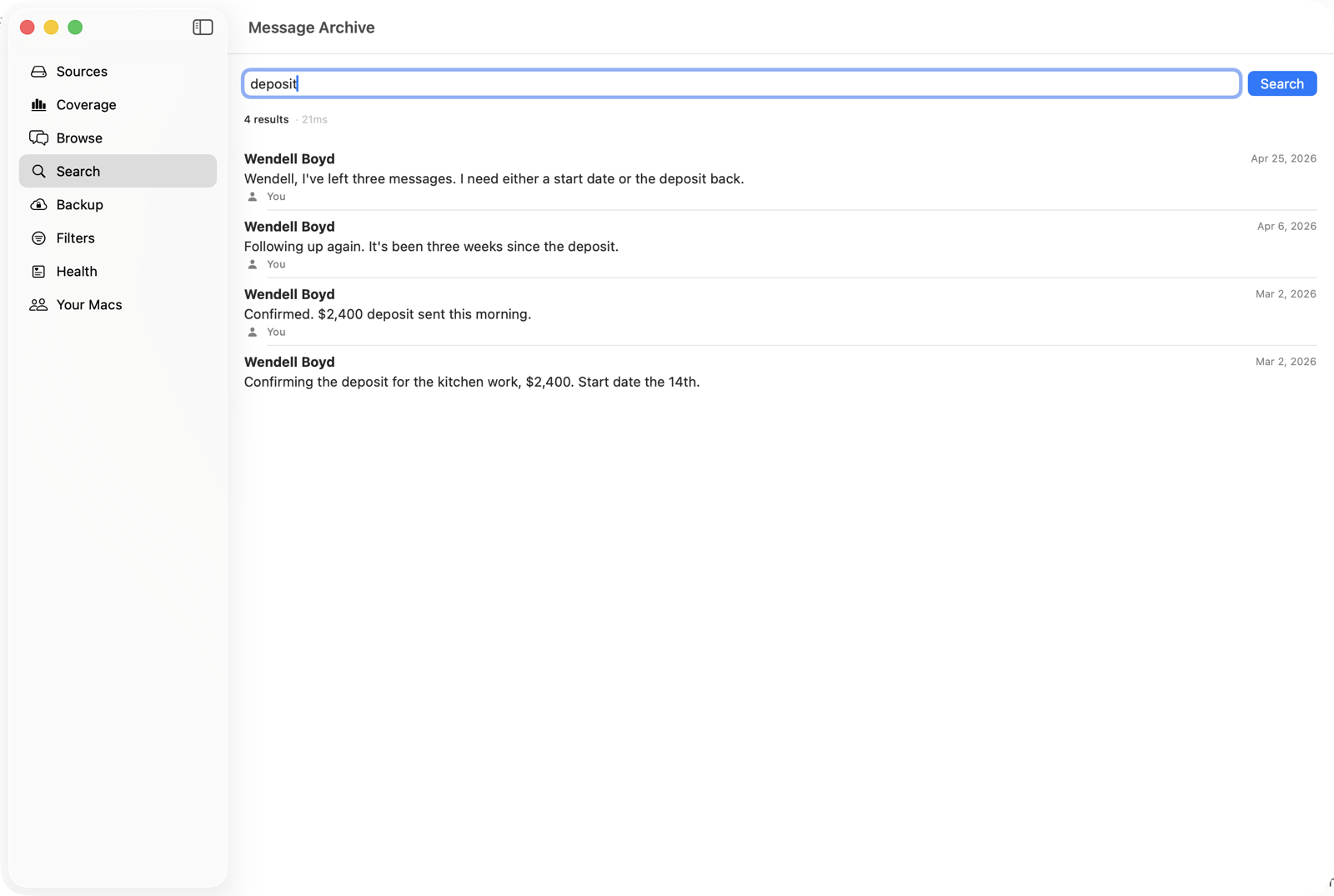
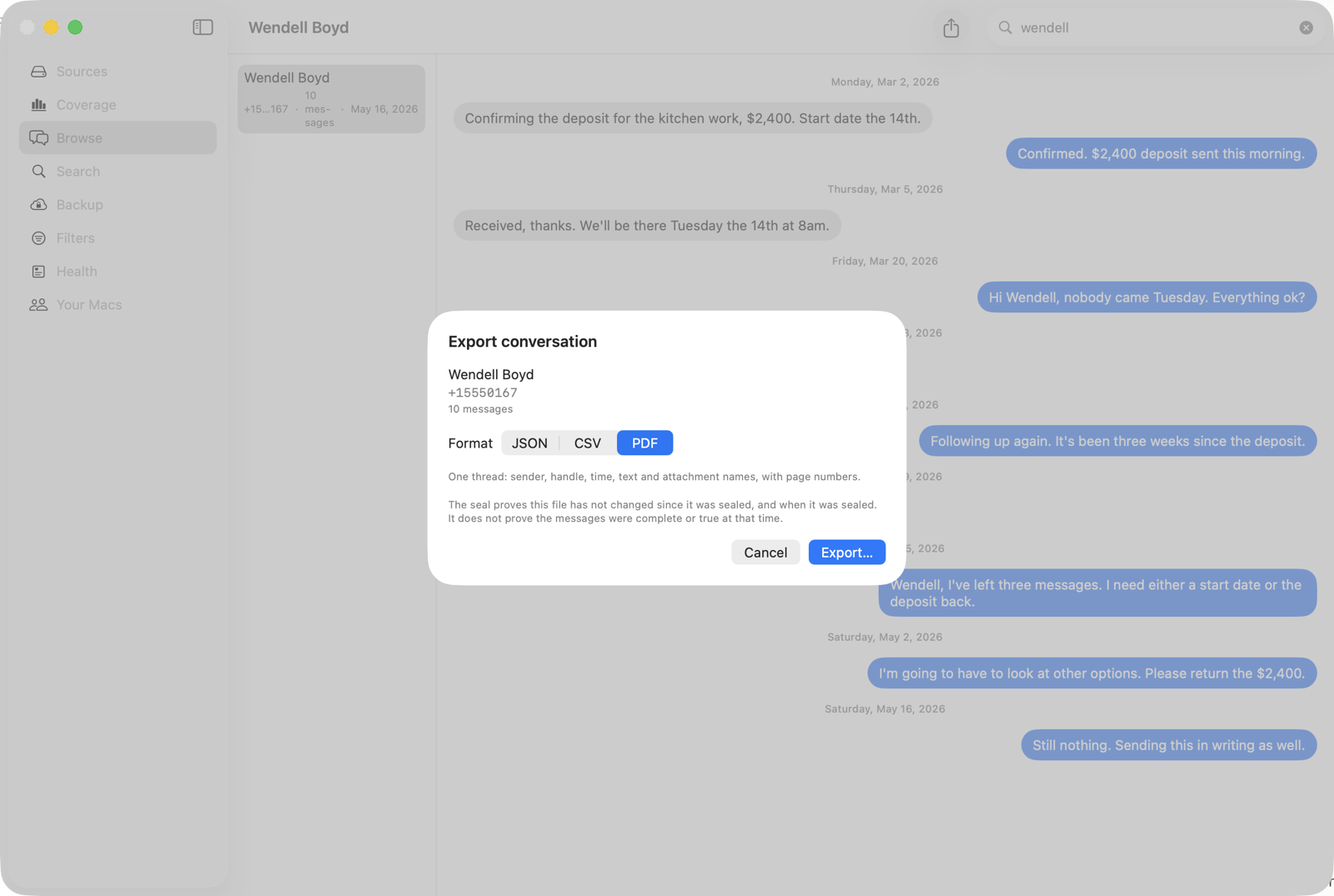
The export step writes the conversation as PDF, CSV or JSON, and writes a seal file beside it. The seal records the export’s SHA-256 fingerprint and sends that fingerprint to an independent timestamp authority, which returns a signed RFC 3161 token.
Anyone can then check that export at the verify page without buying anything, without an account, and without you being involved. Their browser computes the file’s fingerprint locally and asks whether that fingerprint was sealed. The file is never uploaded.
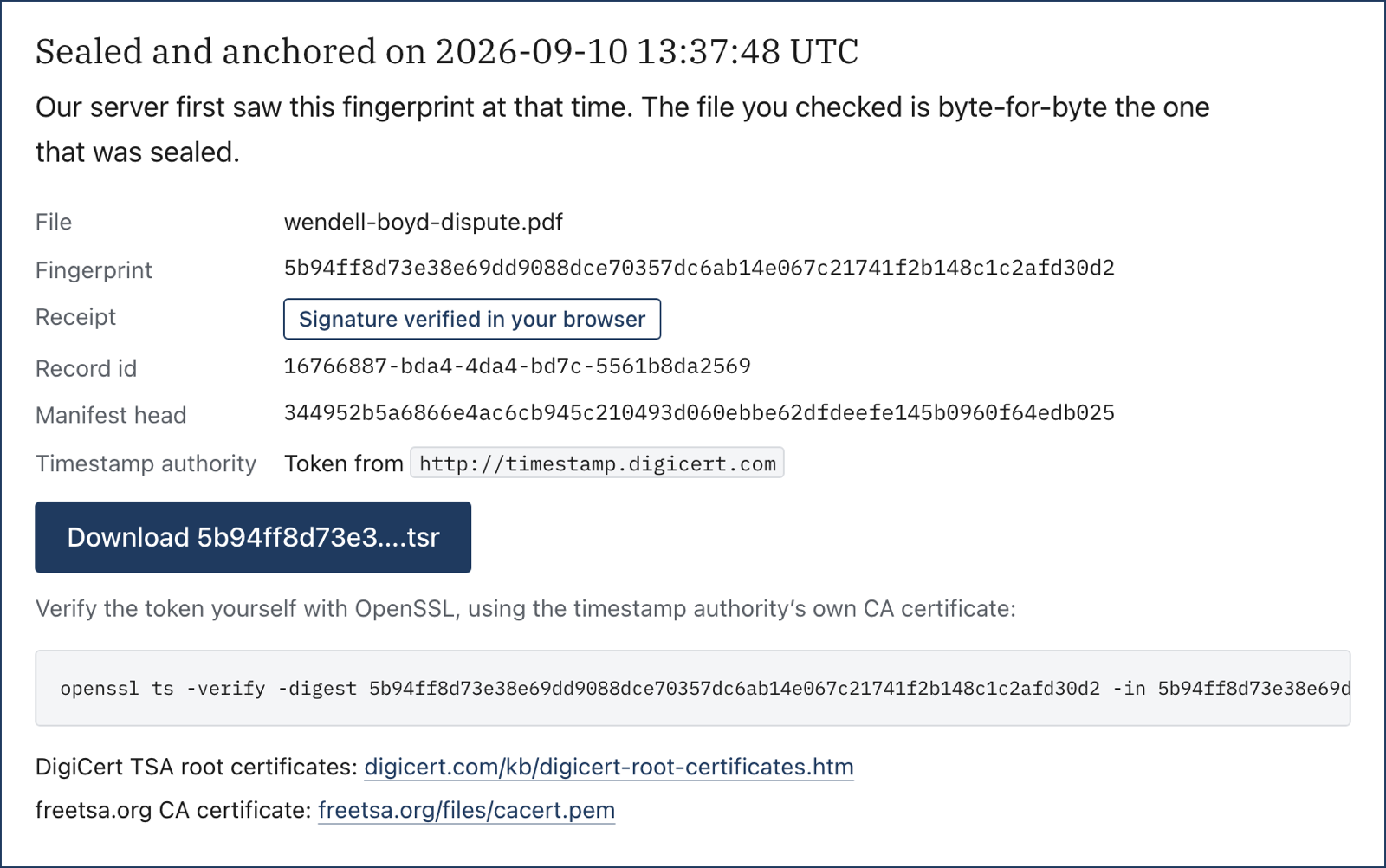
That last detail matters more than it sounds. The timestamp token is a standard RFC 3161 token from a public authority, so the other side can verify the time claim using OpenSSL and DigiCert’s certificate, without trusting us at all. A proof that requires trusting the vendor is not much of a proof.
What it cannot do
Message Archive cannot recover messages that are already gone from every source on your Mac and from every backup you still have. If a thread was deleted years ago and nothing holds a copy, no tool can bring it back. It is worth checking what you still have before you need it.
A practical order to work in
- Ask whoever is handling your case what format they want. Some want paper, some want a PDF, some want the underlying data.
- Stop the history shrinking. On the iPhone, open Settings, then Apps, then Messages, and set Keep Messages to Forever. On a Mac, the same setting is in Messages preferences.
- Make an unencrypted backup of the iPhone to a Mac, so a second complete copy exists that is not on the phone.
- Export the full conversation, not the excerpt. Ranges look selective even when they are not.
- Seal the export, keep the seal file with it, and keep both somewhere the other side cannot reach.
- Give your lawyer the export and tell them it can be verified independently. Let them decide what to do with it.
The short version
- Ask what format is wanted before you produce anything.
- Screenshots are fine for short exchanges and cannot defend themselves if challenged.
- Printing to PDF on a Mac is the best free route and breaks on long threads.
- Export the whole conversation, never a selection.
- A seal plus an independent timestamp is what makes a file checkable by someone who does not trust you.
- No software can promise admissibility. Anyone who tells you otherwise is selling something.
Common questions
Can I print text messages directly from an iPhone?
Not to a printer with dates and names intact. The iPhone has no built in export or print for Messages. The usual routes are screenshots, or syncing to a Mac and printing from Messages there, or making an unencrypted backup and reading it with an app that understands the format.
Are screenshots of text messages accepted as evidence?
Sometimes, and it depends entirely on the case, the jurisdiction and whether anyone disputes them. The practical weakness is that a screenshot cannot answer a challenge on its own, because the phone that produced it also controls the clock and has editing tools on it. Ask the person handling your case what they prefer.
What does tamper evident actually mean?
It means any change to the file can be detected. A cryptographic fingerprint of the file is recorded when the export is made, and recomputing it later gives a different answer if even one character changed. It says nothing about whether the contents were complete or true when they were sealed.
Will a sealed export be accepted by a court?
That is not something software can promise, and you should be wary of any product that says otherwise. What a seal gives you is a record whose integrity and timing can be checked independently, by someone who does not trust you or us. Whether that record is accepted is a decision for the people handling your case.
Do I have to hand over my whole phone?
Usually not, and that is part of why an export exists. An export of one conversation gives the relevant material without handing over unrelated messages, photos and accounts. Your lawyer can advise on what is proportionate to disclose.
How do I export a conversation that is too long to print?
The Messages app struggles with very long threads because it has to load the whole conversation before printing. Printing in page ranges and merging in Preview works. A tool that reads the message database directly avoids the problem, because it never has to render the thread on screen first.
Keep the history you still have
Message Archive merges the messages on your Mac with the ones in your iPhone backups and keeps them in a vault outside the Messages app, where nothing can prune them. It reads your Messages database read only and everything stays on your machine.
$47 per year, per Mac. 14-day free trial. Cancel any time. Requires macOS 14 or later.
Weighing it against something else? We keep honest comparison pages, including the parts where the other tool is the better buy.
Read next
Can screenshots of text messages be used as evidence?
What a screenshot of a text message actually shows, why the other side can question it, and what a stronger record looks like. Plain English, no legal advice, written for the person who has to produce the messages rather than for a lawyer.
How to prove a text message was not edited
Someone says your texts were altered. Here is what actually settles that question, what a timestamp on a file does and does not show, and how to check any sealed export for free without trusting the company that made it.
How to preserve text messages before a dispute
A step by step guide to stopping the automatic deletion of text messages, making a second copy that is not on your phone, and producing a record you can hand over later. Written for the point before anybody has asked you for anything.