Keep Messages is set to Forever and messages still disappeared
You went into Settings, found Keep Messages, and set it to Forever. Maybe years ago. And messages are missing anyway: a thread that starts partway through, a conversation with someone who matters that ends abruptly, a whole year that is simply not there.
This is one of the most common complaints on Apple’s own support forums, and the replies are usually some combination of buy more iCloud storage, check Recently Deleted, or reset your settings. None of those explain it, and the first one is often wrong.
Here is the actual explanation. Forever is real and it does work. It just governs one narrow thing: automatic deletion by age, on the device you set it on. There are six other paths by which messages leave, and Forever has no authority over any of them.
What Forever actually controls
Keep Messages is a retention timer. Set to 30 Days or 1 Year, the system deletes conversations once they pass that age. Set to Forever, that timer is switched off and nothing is removed on account of age.
That is the whole of it. Forever is not a promise that your messages are safe. It is the absence of one specific deletion rule. Everything below still happens with Forever set, which is why the setting looks broken when it is not.
The single most useful check
Forever is per device and per Apple account, and it can be set differently on your iPhone than on your Mac. If either one is on a shorter window and Messages in iCloud is on, the shorter window effectively wins for both. Check every device you own before concluding the setting failed.
One: the setting changed without you
The value you see today is not necessarily the value that was in force when the messages went missing. Keep Messages can arrive at a shorter window from a device migration, from restoring a backup made when it was set differently, or from another device on the same account syncing its own setting across.
Several people report finding it on 30 Days having never chosen that. The deletion is silent and permanent, so by the time anyone notices, the setting may well read Forever again. That is the version of this problem that is hardest to believe and easiest to verify: check the age of your oldest surviving message and see whether it lands suspiciously close to a round window.
Two: Messages in iCloud syncs deletions, not just messages
Messages in iCloud keeps every signed-in device showing the same conversations. It is a sync service, and sync is symmetrical. Delete a thread on one device and it goes from all of them, immediately, whatever Keep Messages says.
This is the source of the most painful version: someone clears space on an old iPad, or a family member deletes a thread on a shared account, and the conversation vanishes from the Mac that was supposed to be holding the archive.
Forever governs the timer. It does not govern anything a person, a sync, or a restore decides to remove.
Three: low storage removes attachments and keeps the text
When a Mac or an iPhone runs low on space, message attachments are among the first things offloaded. The text of the conversation stays exactly where it was, so nothing looks missing. The photos and videos become placeholders that will not load.
Because the thread still reads normally, this is usually discovered months or years later, at the moment somebody goes looking for a specific picture. There is no notification when it happens.
Four: a restore replaces your history rather than merging it
Restoring a backup to a new iPhone does not add its messages to what is there. It replaces the message database with the one in the backup. If that backup was made when a shorter retention window was in force, or before a conversation existed, the restore quietly installs a smaller history and the previous one is gone.
This is the most common story behind “I have years of texts there” followed by a device upgrade and an empty search result.
Five: manual deletion is still manual deletion
Forever has no effect on anything you or anyone else deletes on purpose. Swiping a thread away to tidy an inbox removes it permanently, and with Messages in iCloud on, from every device at once.
Recently Deleted holds messages for up to 30 days after a manual deletion, which is worth checking first if the loss is recent. It does not hold anything removed by a retention timer, a restore, or a sync.
Six: the backups themselves get recycled
The usual fallback is an old backup, and backups expire. Time Machine deletes older snapshots as the disk fills. iCloud backups are replaced by newer ones. A local iPhone backup gets overwritten the next time that phone connects.
So the window in which a lost conversation is recoverable is real but it closes on its own, without anyone deciding to close it.
How to check your own machine, in about five minutes
Do this before anything else. It costs nothing and it tells you which of the six you are dealing with.
- On your Mac, open Messages, then from the menu bar choose Messages and Settings, then General. Read the Keep Messages value.
- On your iPhone, open Settings, then Apps, then Messages, and find Keep Messages under Message History. Read that value too. They can differ.
- Set both to Forever if either is not. This stops any further age-based deletion immediately.
- In Messages, check whether Messages in iCloud is on. On the Mac it is under Settings and iMessage; on the iPhone it is in your Apple Account under iCloud.
- Scroll a long conversation to its very beginning and note the date of the first message. Do this for two or three important threads.
- Compare those dates. If several unrelated conversations all begin within days of each other, you are looking at the footprint of a retention window or a restore, not a coincidence.
- Check Recently Deleted in Messages, via Edit and Show Recently Deleted, if the loss happened in the last month.
Setting it to Forever does not restore anything
Forever only applies going forward. Conversations already removed are gone from the live database, and the only remaining copies are in a backup made before the deletion. That is why the first step is to stop the loss, and the second is to find out how much time you have left to recover from.
What actually protects a message history
The pattern behind all six is the same: every copy of your messages lives inside a system that is allowed to change it. Messages in iCloud can remove, a restore can replace, storage pressure can strip, and backups expire on their own schedule.
A history is only durable once there is a copy somewhere that nothing in that chain is allowed to touch. That copy can be made for free. Messages on the Mac can export a conversation, and printing a thread to PDF works well enough on short ones. Do that today for the two or three conversations you would be most upset to lose. It is a genuinely reasonable answer and for many people it is the whole answer.
The free route has two known limits. Printing to PDF becomes unreliable on very long threads, where scrolling to the beginning can stall or crash, and the usual workaround is printing in page ranges and merging them afterwards. And an export made this way is a document like any other, so it carries no way for anyone else to confirm it has not been altered since.
Where Message Archive fits
Message Archive is a Mac app that reads the messages already on your Mac and in your iPhone backups, merges every copy into one searchable archive on a drive you choose, and keeps archiving on a schedule so the copy stays current. Because the vault sits outside Messages, nothing in the list above reaches it: a sync deletion, a restore, or a retention timer changes the live database and leaves the archive as it was.
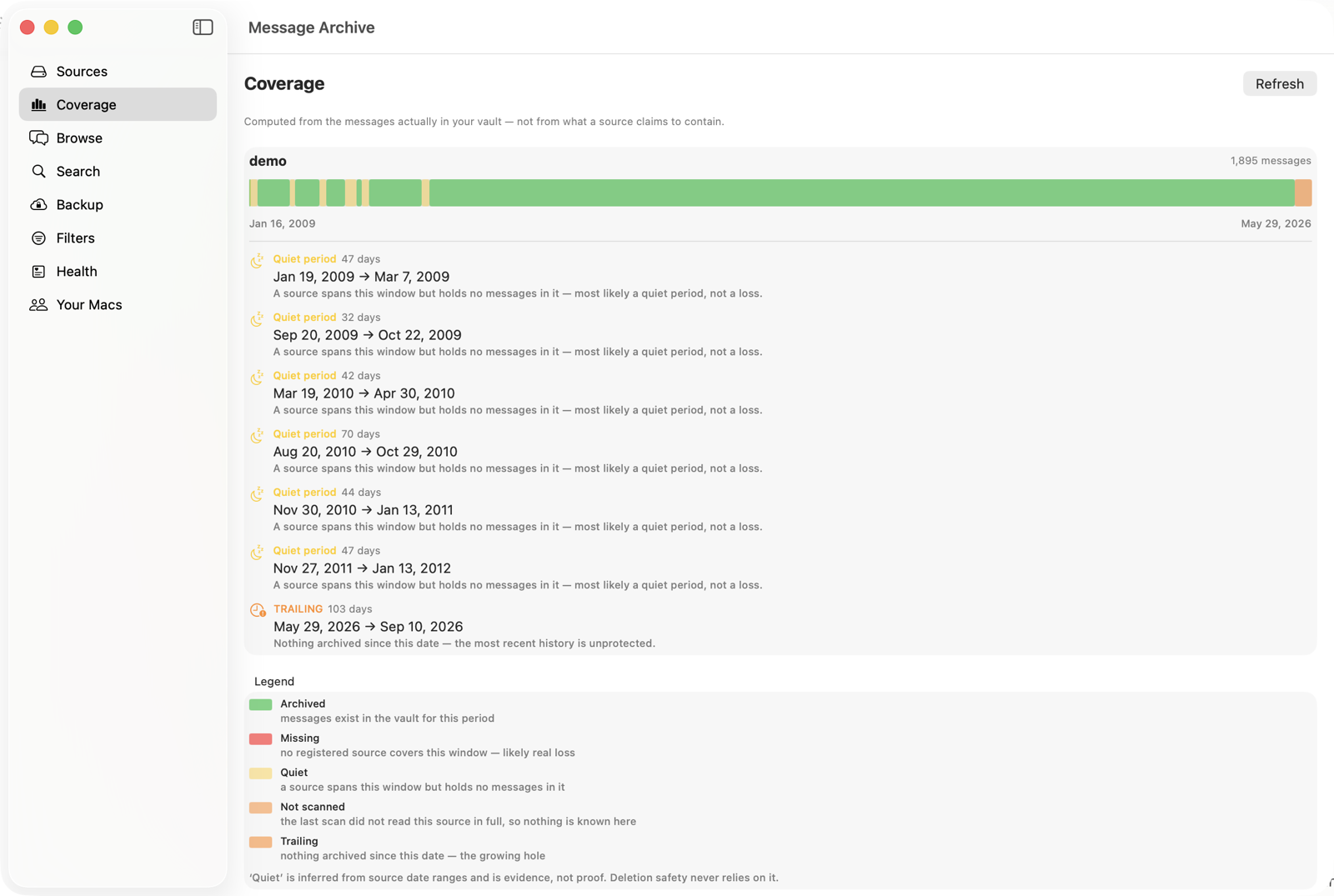
Exports it produces carry a seal and an independent timestamp, so the file is tamper evident: anyone can check on the verify page, free and without an account, that it has not changed since it was sealed. That matters less for a family archive than for a dispute, and it costs nothing either way.
It costs $47 a year, per Mac, with a 14-day trial. And the honest limit: it cannot recover messages that are already gone from every source on your machine. If a conversation has been pruned from the live database and from every surviving backup, no software brings it back. What the app does is make sure the next five years cannot go the same way as the last one.
The short version
- Forever works, but it only switches off deletion by age, on one device.
- Set it to Forever on the Mac and the iPhone. They are separate settings and can disagree.
- Messages in iCloud syncs deletions to every device. It is not a backup.
- A restore replaces your message history rather than merging into it.
- Low storage strips attachments and leaves the text, so the loss stays hidden for months.
- Backups expire on their own, so the window to recover something closes without anyone closing it.
- The only durable protection is a copy that lives outside the Messages app.
Common questions
Why did messages disappear when Keep Messages was set to Forever?
Forever only switches off deletion by age. It has no effect on a manual deletion, on a deletion synced from another device by Messages in iCloud, on a restore that replaces the message database, or on attachments removed when storage runs low. One of those is almost always the cause.
Is Keep Messages set separately on the iPhone and the Mac?
Yes. Each device has its own value and they can differ. If one is on a shorter window and Messages in iCloud is on, the deletions from that device propagate to the others, so the shorter window effectively wins.
Can the Keep Messages setting change by itself?
It can arrive at a different value without you choosing it, most often through a device migration, through restoring a backup made when it was set differently, or from another device on the same account. The change is silent, which is why the setting frequently reads Forever by the time anyone investigates.
Does Recently Deleted hold everything that was removed?
No. It holds messages you deleted manually, for up to 30 days. It does not hold anything removed by a retention timer, replaced by a restore, or stripped because storage ran low.
Will turning off Messages in iCloud protect my history?
It stops deletions on other devices from reaching this one, which removes one of the six paths. It also means your devices stop showing the same conversations, and it does not protect against a restore, a manual deletion on that device, or storage pressure.
Is there a free way to keep a copy of a conversation?
Yes. Messages on the Mac can export a conversation, and printing a thread to PDF works for shorter ones. The known limits are that printing becomes unreliable on very long threads, and that the resulting file carries no way for anyone else to confirm it has not been altered since it was made.
Keep the history you still have
Message Archive merges the messages on your Mac with the ones in your iPhone backups and keeps them in a vault outside the Messages app, where nothing can prune them. It reads your Messages database read only and everything stays on your machine.
$47 per year, per Mac. 14-day free trial. Cancel any time. Requires macOS 14 or later.
Weighing it against something else? We keep honest comparison pages, including the parts where the other tool is the better buy.
Read next
Why macOS deletes your old messages, and how to stop it
macOS is set to throw away message history on a timer, and the setting is easy to miss. Here is what actually removes your old texts, how to check your own Mac in under a minute, and how to keep the history you still have.
Where iMessages are actually stored on a Mac
Your Mac keeps every iMessage and SMS in a SQLite database inside your home folder. Here is exactly where it lives, what each file does, how to open it safely, and why copying it is harder than it looks.
Why Messages still has no archive function, and what to do instead
Mail has archive. Every chat app has archive. Apple’s Messages has delete and nothing between it and keeping everything forever. Here is why that gap exists, what the workarounds actually cost, and how to get a thread out of your inbox without losing it.