Why macOS deletes your old messages, and how to stop it
People rarely lose fifteen years of texts in one dramatic event. They lose them quietly, on a schedule, because of a setting nobody remembers choosing. Then one day they search for a conversation with someone who matters and the thread starts partway through, or is not there at all.
There are four separate things on a Mac that remove old messages, and they behave differently. Knowing which one is affecting you decides whether the history is recoverable or already gone.
The setting that does most of the damage
Messages on macOS has an option called Keep Messages. It can be set to 30 Days, One Year, or Forever. If it is set to anything other than Forever, macOS deletes conversations older than that window and does not ask first.
Most people never touched this setting. That is the problem. The value can arrive from an old Mac through a migration, or from an iPhone through iCloud settings sync, and the deletion is permanent and silent. There is no warning dialog and no undo.
Check yours right now
- Open Messages.
- From the menu bar choose Messages, then Settings.
- Open the General tab.
- Look at Keep Messages.
If it says 30 Days or One Year, change it to Forever. Do that before you read the rest of this page. It stops the bleeding immediately, though it will not bring back anything already removed.
Changing it to Forever does not restore anything
Forever only applies going forward. Messages already deleted under the old window are gone from the live database. If you want them back, the copies in your backups are the only place left to look, and those get overwritten too.
Messages in iCloud makes deletion travel between devices
Messages in iCloud keeps every signed-in device showing the same conversations. That sounds like a backup and it is not one. It is a sync service, and sync is symmetrical.
When a thread is deleted on your iPhone, it is deleted from the Mac too, usually within seconds. When the Keep Messages window prunes old conversations on one device, the same conversations disappear everywhere else. A great many people who believe iCloud is protecting their history are running the one configuration that guarantees a deletion is total.
This is worth stating plainly, because it is the single most common misunderstanding about message history: a sync service protects you from losing a device. It does not protect you from losing data. If the data goes, it goes from every device at once.
Storage optimisation removes attachments first
When a Mac gets low on space, macOS can remove message attachments while keeping the text. The thread survives and reads normally until you scroll to a photo and find a placeholder that will not load.
For most people the attachments were the point. The photo of a grandparent, the picture of a damaged part, the screenshot of an agreement. The words around them are still there, which makes the loss easy to miss for months.
Migration and reinstalls drop what they cannot carry
Migration Assistant is good but not perfect, and a clean install with a selective restore is worse. Message history is one of the first things to be silently left behind, partly because the database is large and partly because it lives in a protected location that some restore paths skip.
The pattern is consistent: someone sets up a new Mac, everything looks fine for weeks, and then they go looking for an old conversation and the history begins on the day the new machine was set up.
How to tell how much you have already lost
Open Messages, pick a conversation with someone you have known for years, and scroll to the very top of it. The date of the first message is the real start of your history with that person on that Mac.
If that date is roughly a year ago, or roughly thirty days ago, and you know you were texting them long before that, the Keep Messages window has already run. Check three or four different conversations. If they all begin around the same date, that date is when the pruning happened.
The date your oldest conversation starts is not when you met. It is when your Mac last decided how much history to keep.
What actually protects message history
Four things, in order of how much they matter.
- Set Keep Messages to Forever on every device signed into the same Apple Account. One device left on One Year can prune the rest through iCloud.
- Keep a Time Machine backup, and understand its limit: it holds a copy of the database as it was, so a deletion that happened before your oldest backup is not in there either.
- Make an archive that lives outside Messages. A copy the Messages app cannot reach is a copy the Messages app cannot prune.
- Check the archive occasionally. An untested backup is a belief, not a backup.
The third point is the one most people skip, and it is the only one that survives every failure mode above. As long as your only copy of a conversation is inside the app that is configured to delete it, you are relying on a setting staying correct forever on every device you own.
Where Message Archive fits
Message Archive is a Mac app that reads the messages already on your Mac and in your iPhone backups, merges every copy it finds into one searchable vault, and keeps that vault outside Messages, so nothing in it is subject to Keep Messages, iCloud sync, or storage optimisation.
Because it merges rather than replaces, an old iPhone backup with conversations your Mac pruned two years ago will put those conversations back into the archive. It reads the Messages database read only and never writes to it.
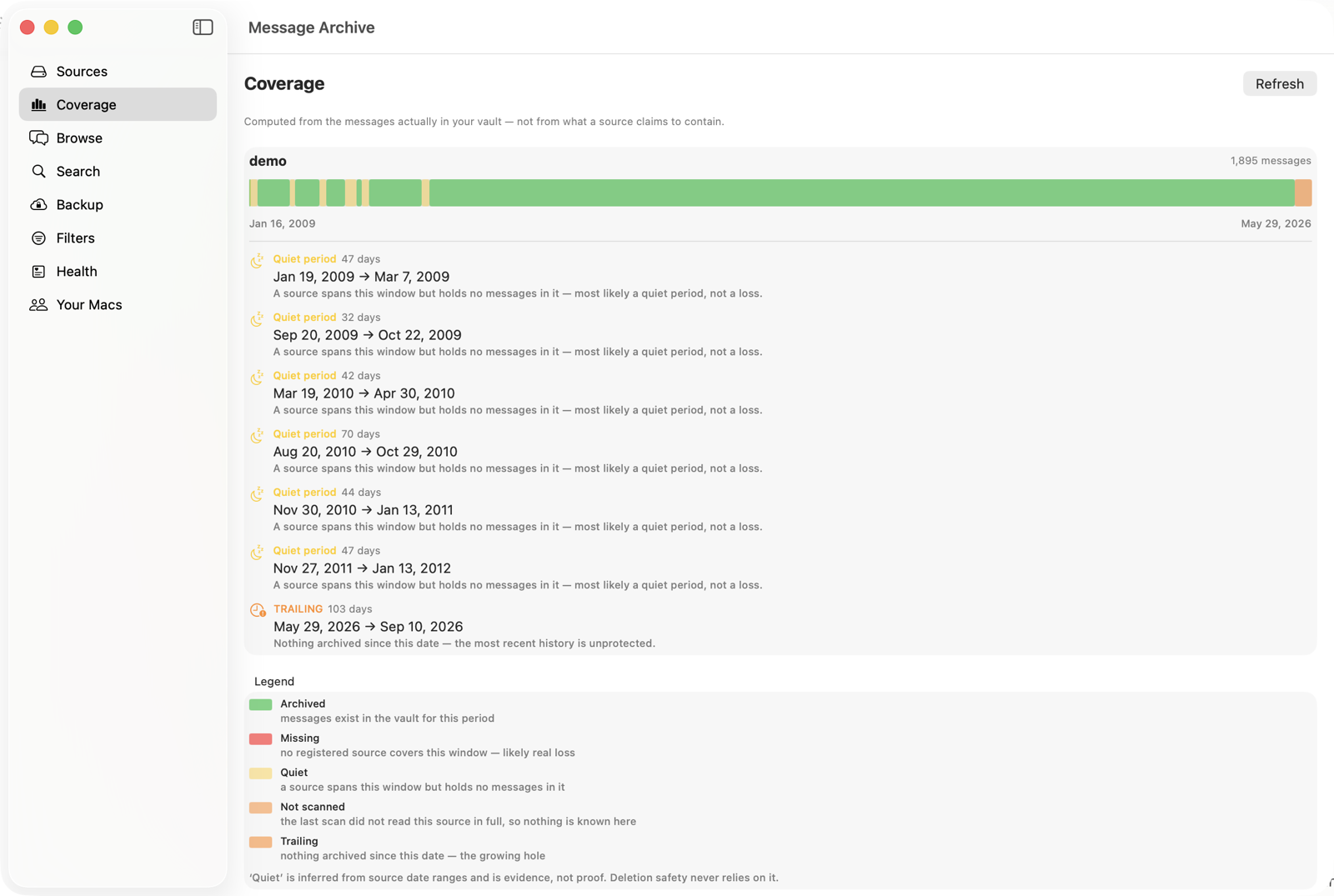
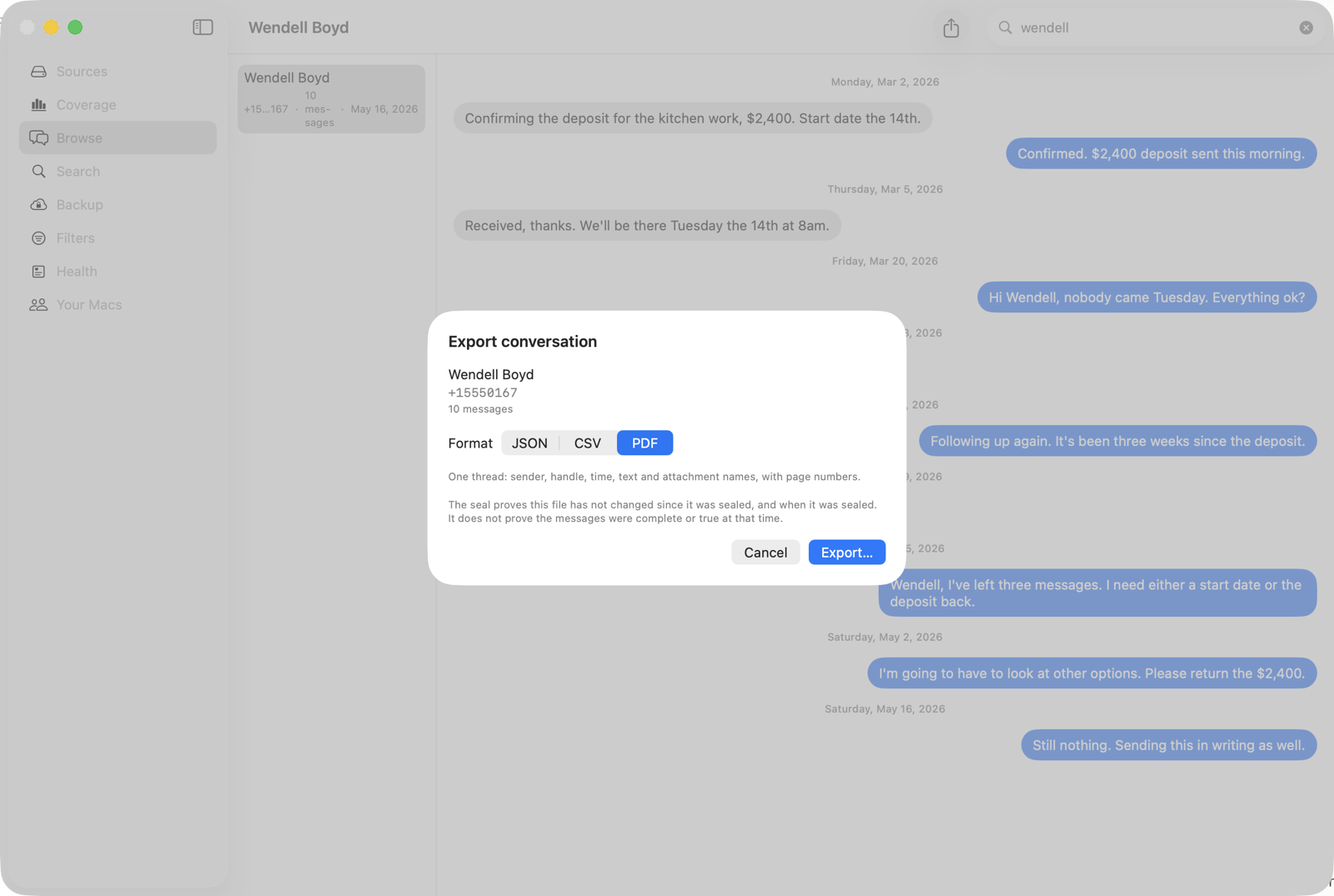
It can also produce a sealed export, which is a copy with a cryptographic seal and an independent timestamp from a third party, so anyone can later check that the file was not altered after that date. That matters less if you are keeping family photos and a great deal if you ever need a message to be taken seriously by someone who was not there.
What it does not do
It cannot recover messages that are already gone from every source on your machine. If a conversation was pruned and no backup containing it still exists, no software can bring it back. This is why the timing of setting up an archive matters more than which archive you choose.
Message Archive is $47 per year, per Mac, with a 14-day free trial and no account required to try it. It runs entirely on your machine.
The short version
- Keep Messages is the main culprit. Set it to Forever on every device today.
- Messages in iCloud syncs deletions. It is not a backup.
- Low storage removes attachments and leaves the text, so the loss hides for months.
- Migrations drop history quietly. Check your oldest conversation after every new Mac.
- The only durable protection is a copy that lives outside the Messages app.
Common questions
Does setting Keep Messages to Forever bring back deleted messages?
No. Forever only changes what happens from now on. Conversations already removed under a 30 Days or One Year setting are gone from the live database, and the only remaining copies would be in a backup made before the deletion.
Is Messages in iCloud a backup of my texts?
No, it is a sync service. It keeps your devices showing the same conversations, which means a deletion on any one device removes the conversation from all of them. It protects you against losing a device, not against losing data.
Why do my old messages show a photo that will not load?
macOS removes message attachments when storage runs low, keeping the text and discarding the file. The thread still reads normally, so this is usually noticed long after it happened.
Where is the Messages database stored on a Mac?
In your home folder, at Library/Messages, with the main database in a file named chat.db and attachments in a subfolder. The Library folder is hidden by default, and reading it requires Full Disk Access.
Can I get old conversations back from an iPhone backup?
Often yes. A local iPhone backup on your Mac contains its own copy of the message database, and if it was made before the deletion it will still hold those conversations. This is why old backups are worth keeping rather than deleting to save space.
Does Time Machine protect my message history?
Partly. Time Machine holds the database as it was at each backup, so it helps if the deletion is recent. It does not help if the messages were pruned before your oldest surviving backup, which is common because Time Machine recycles older snapshots as the disk fills.
Keep the history you still have
Message Archive merges the messages on your Mac with the ones in your iPhone backups and keeps them in a vault outside the Messages app, where nothing can prune them. It reads your Messages database read only and everything stays on your machine.
$47 per year, per Mac. 14-day free trial. Cancel any time. Requires macOS 14 or later.
Weighing it against something else? We keep honest comparison pages, including the parts where the other tool is the better buy.
Read next
Keep Messages is set to Forever and messages still disappeared
Forever is a real setting and it does work, but it only governs one kind of deletion on one device. Here are the six other things that remove messages regardless of it, how to tell which one hit you, and what to do about each.
Why Messages still has no archive function, and what to do instead
Mail has archive. Every chat app has archive. Apple’s Messages has delete and nothing between it and keeping everything forever. Here is why that gap exists, what the workarounds actually cost, and how to get a thread out of your inbox without losing it.
How to preserve text messages before a dispute
A step by step guide to stopping the automatic deletion of text messages, making a second copy that is not on your phone, and producing a record you can hand over later. Written for the point before anybody has asked you for anything.